Asbestos survey software built for UK surveyors
Whether you're a sole trader, freelancer, or a growing consultancy — Smart Risk replaces every tool you're juggling. Survey on-site with the mobile app, generate HSG264 reports in one click, send quotes & invoices, track samples, get email notifications — and it all works offline.
See Smart Risk in action
Watch how easy it is to run your entire asbestos consultancy from one platform — site to report in minutes.
Getting Started: Create Your Company & First Job
Set up your company, add a client and property, create your first survey job, and assign it to a surveyor — all in under 5 minutes.
On-Site Surveying with the Mobile App
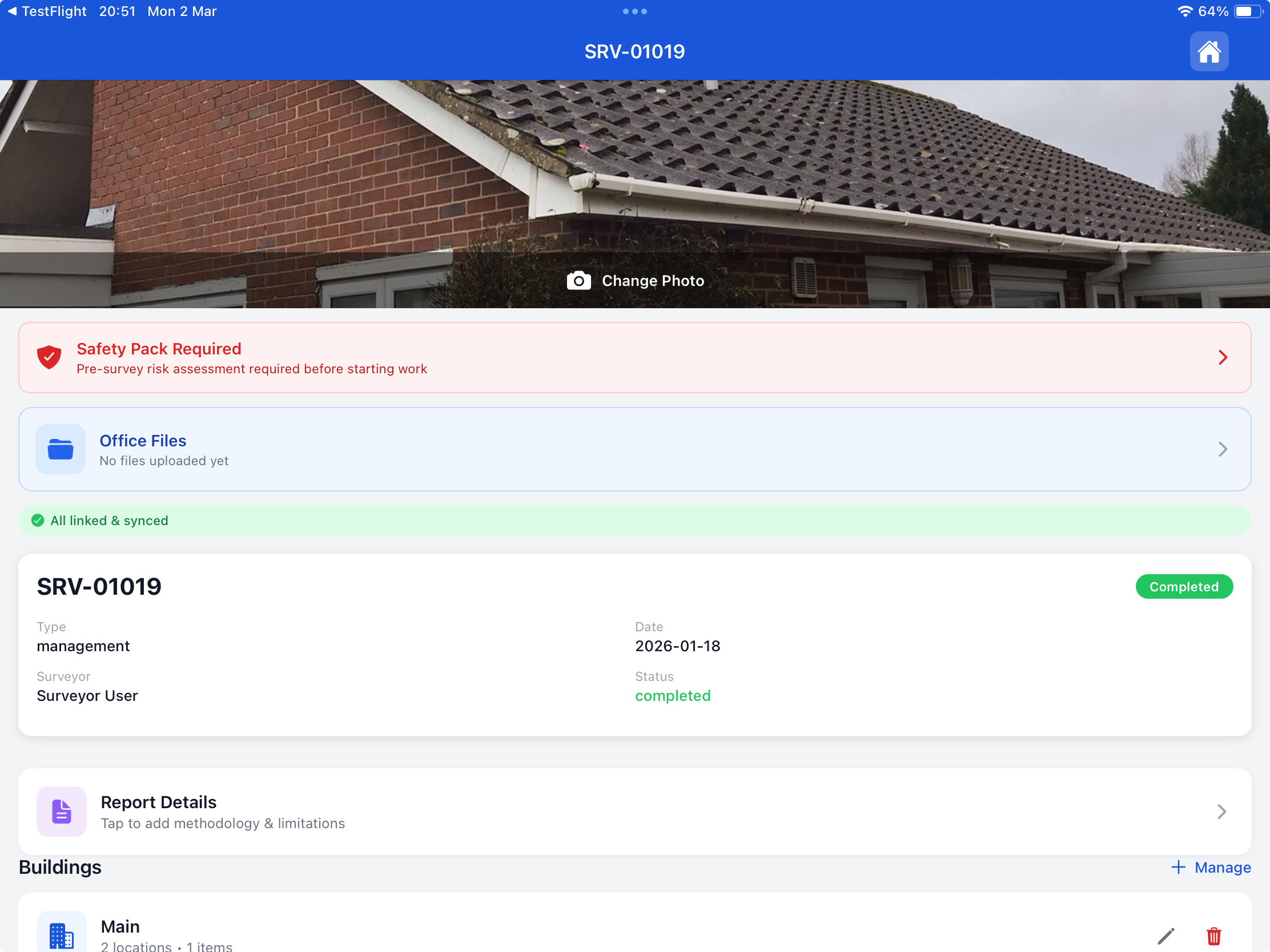
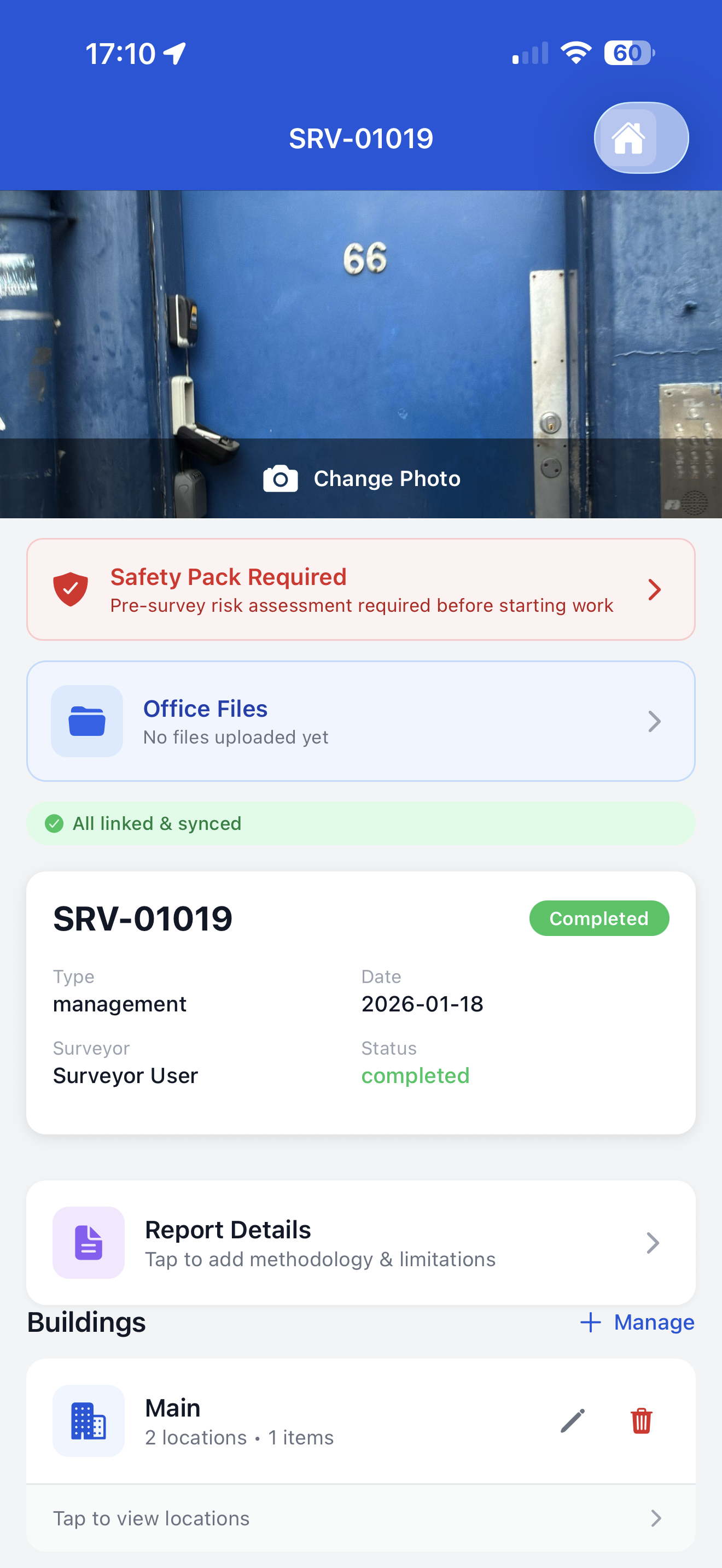
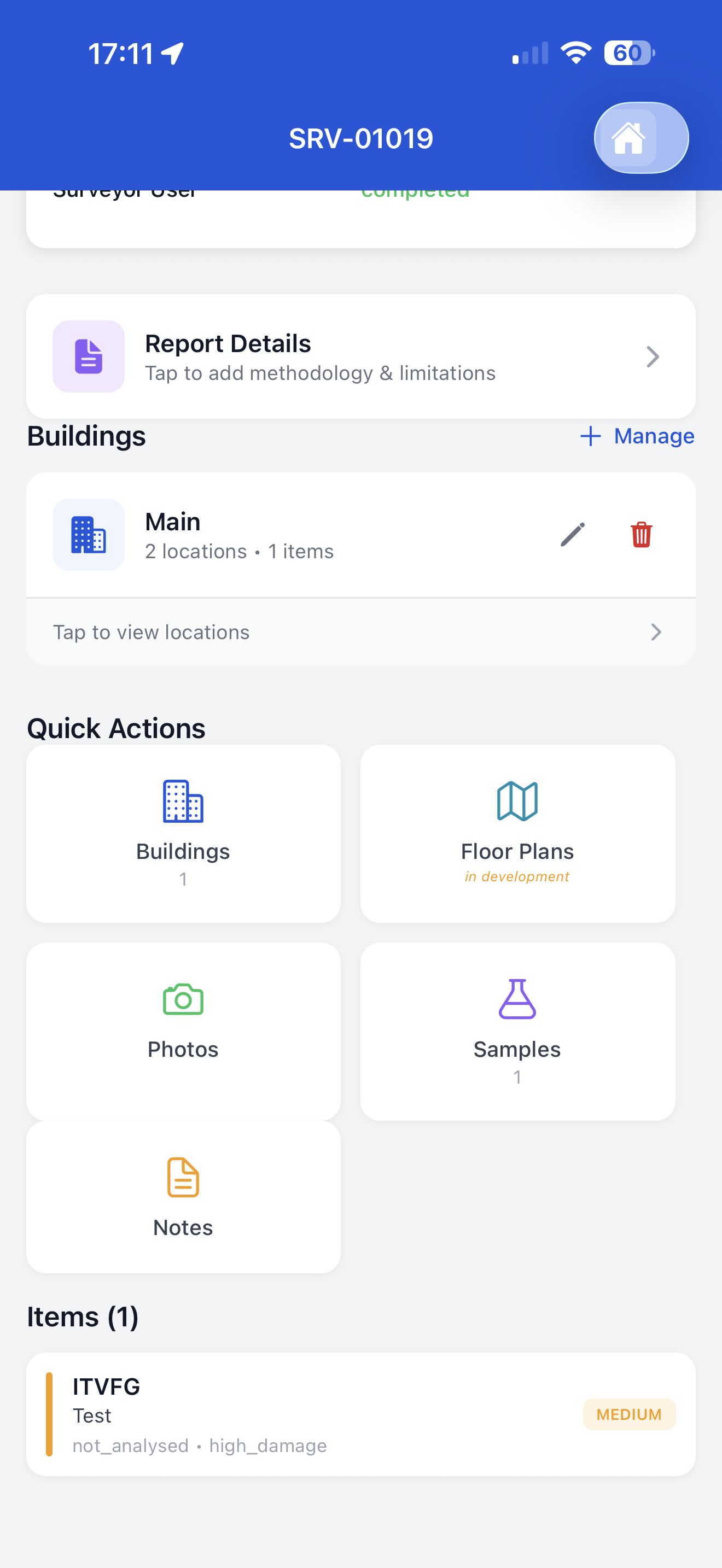
Walk through a real survey — add buildings, rooms, items, take photos, record samples, complete the safety pack, and sign off on-site.
Generate Reports, Quotes & Invoices
One-click HSG264-compliant PDF reports, create itemised quotes, convert to invoices, and manage your commercial workflow from the web dashboard.
How It Works
From job creation to compliant PDF in three steps
No more chasing paperwork. No more re-typing data. Everything flows from site to report automatically.
Create a Job & Assign
Admin creates a job with client, property, and survey type (Management or R&D). Assign a surveyor and schedule the date — they receive it on their phone instantly.
Survey On-Site with Mobile App
Surveyor walks the property with the app. Add buildings, rooms, items, take photos, record samples, and sign off — works even without signal in basements or remote sites.
Generate Report & Invoice
Back in the office, one click generates a professional HSG264-compliant PDF. Then create a quote, convert to invoice, and get paid — all within the same platform.
Buildings, locations, items, samples, photos, floor plans, and the final report — all generated from a single source of truth. No duplication, no inconsistencies.
iPad & iPhone App
Your surveyor's best tool on-site
Purpose-built for asbestos surveyors who need speed, accuracy, and reliability — even in basements with zero signal. Available on iPad and iPhone.
Photo Evidence in Seconds
Snap photos of materials and items directly in the app. They link to the right location automatically and appear in the final PDF report.
Sample Tracking
Add sample references on-site (S001, S002…), link them to specific items, and mark analysis mode. Admin confirms lab results from the web.
Digital Signatures
Surveyors and clients sign directly on the device screen. Signatures are embedded in the final report — no printing and scanning.
Works 100% Offline
Download surveys before heading to site. All data is saved locally — buildings, items, photos. Everything syncs automatically when you get signal back.
Full Site Structure
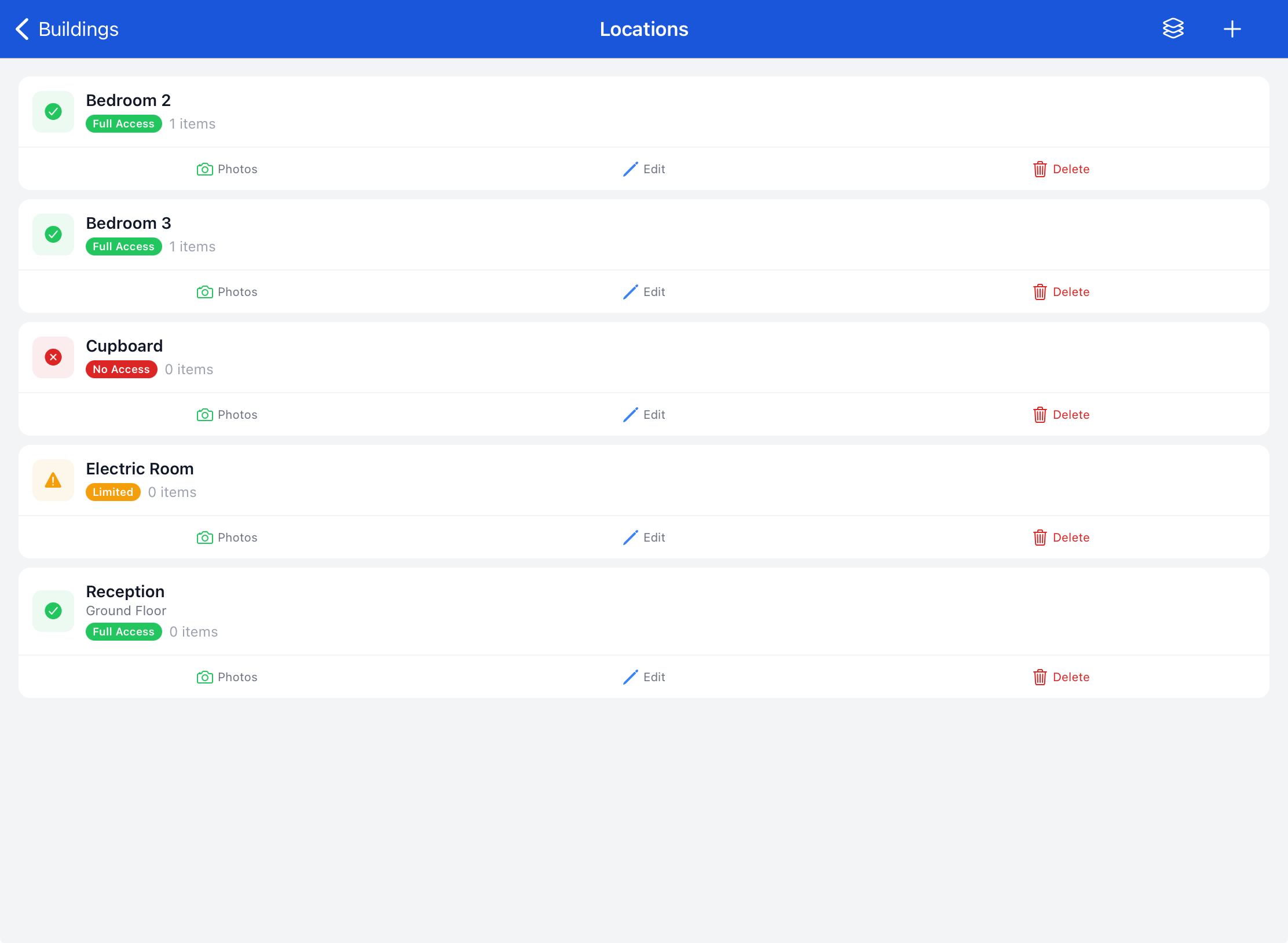
Record buildings, floors, rooms, and items with material type, condition, extent, and risk level. The same structure appears in your register.
Calendar & Scheduling
See your upcoming surveys at a glance. Scheduled jobs appear on the calendar with client, property, and survey type — ready to start.
Available Devices
Built for iPad & iPhone
The same powerful app runs on both devices. Use iPad for the larger screen on-site, or iPhone when you need maximum portability. Your data syncs seamlessly between them.
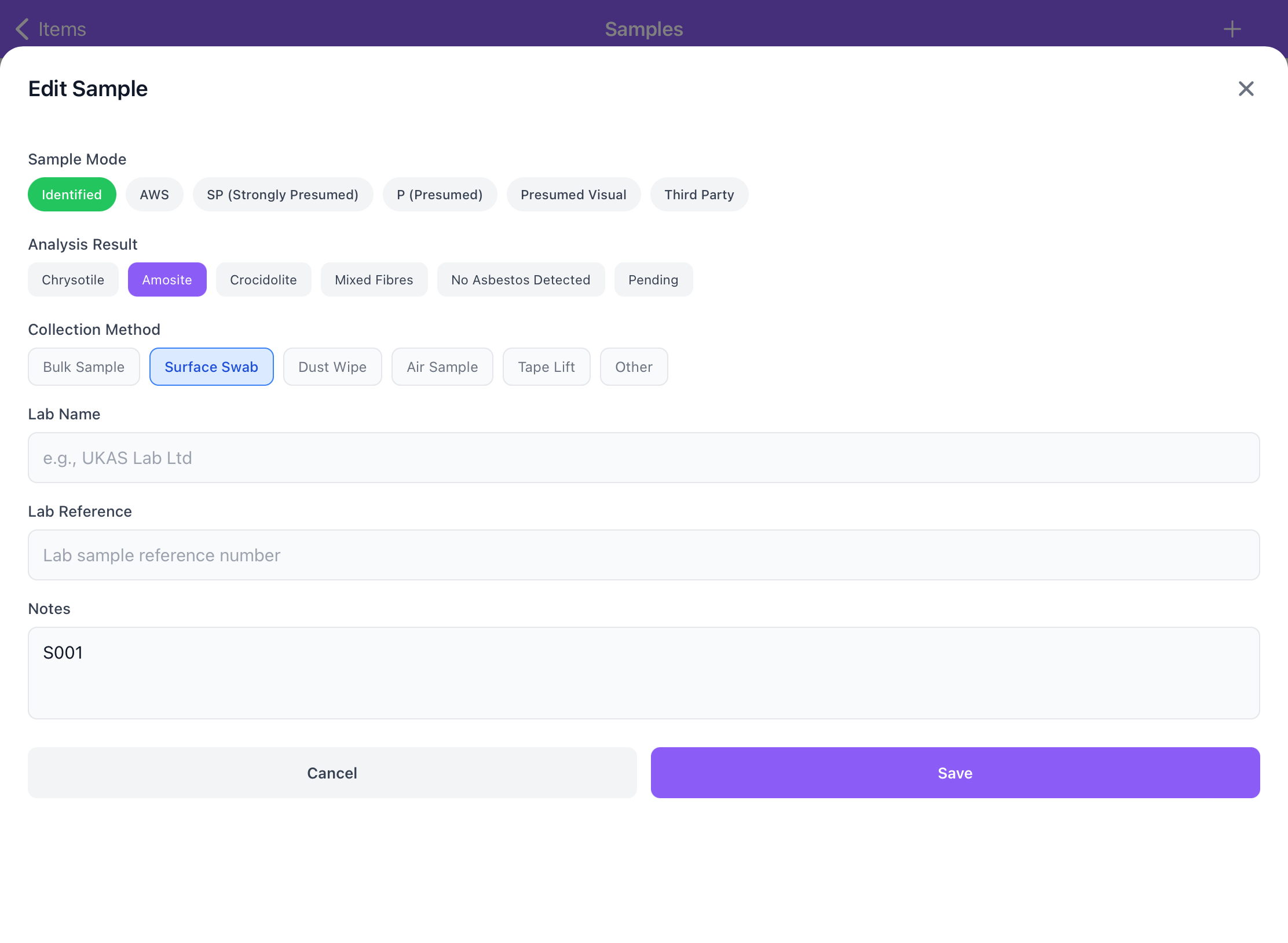
Best for on-site surveys
Larger screen makes it easier to record samples, manage locations, and review survey data. We recommend the iPad Mini — lightweight enough to carry all day, big enough to see everything clearly.
Maximum portability
Every feature works identically on iPhone. Perfect for quick site visits or when you need to travel light. Fits in your pocket, ready when you are.
Floor Plan Creator
Draw professional floor plans directly on your iPad or in the web dashboard. Drag and drop rooms, mark ACM locations, annotate sample points — and watch them appear automatically in your HSG264 report appendix.
- Draw rooms, corridors, and building outlines
- Pin ACM items and sample locations on the plan
- Auto-generated floor plan appendix in PDF reports
- Works on iPad with Apple Pencil and on web
Android version in development
We're building the Android version of Smart Risk for Samsung Galaxy, Google Pixel, and other Android tablets and phones. Join the waitlist to be first in line.
We'll notify you as soon as the Android beta is ready for testing.
Web Dashboard
Everything your office needs in one place
Manage jobs, review survey data, generate reports, create quotes, and send invoices — without switching between five different apps.
Jobs & Assignments
- Create jobs with client, property, and scope
- Assign surveyors and schedule dates
- Track status from draft to completed
- Role-based access (admin vs surveyor)
One-Click Reports
- HSG264-compliant PDF in seconds
- Executive summary, methodology, limitations
- Asbestos register with risk ratings
- Photo appendix and floor plans included
Samples & Lab Results
- View all samples collected on-site
- Enter lab analysis results
- Auto-classifies: ACM, NAD, Presumed
- Results flow into register and report
Quotes & Invoices
- Generate quotes from survey scope
- Send to clients for acceptance
- Convert accepted quotes to invoices
- Track payment status to completion
Clients & Properties
- Client database with contact details
- Property records with full history
- All surveys linked to their property
- Quick search across everything
Email Notifications & Alerts
- Instant email when surveys are assigned
- Report ready notifications to admins
- Invoice and quote delivery to clients
- Real-time sync status alerts
Save hours on every survey
Stop re-typing notes into spreadsheets. Stop chasing paper forms. Smart Risk connects the field to the final report in one seamless flow.
Surveyors
Before
Handwritten notes, separate camera, retype everything at the office
After
Capture buildings, items, photos, and samples directly in the app. Data syncs automatically — no double-entry.
Admins / Office
Before
Chase surveyors for notes, manually compile reports, re-format PDFs
After
Review survey data in the dashboard, click to generate HSG264-compliant reports, send quotes and invoices.
Business Owners
Before
Separate tools for surveys, quoting, invoicing. No overview of job status.
After
One platform for the whole workflow: job → survey → report → quote → invoice → paid. See everything at a glance.
Compliance
Reports your clients and regulators can trust
Every report follows HSG264 structure with the correct sections, appendices, and legal wording. Management surveys and refurbishment & demolition surveys each use the correct terminology, risk language, and register format — automatically.
Management Surveys
Identify and assess ACMs in normal occupancy. Risk-rated register with recommended actions and re-inspection timeframes.
R&D Surveys
Fully intrusive pre-refurbishment/demolition surveys. All items require removal before works. Correct R&D wording throughout.
Secure & Encrypted
All data stored securely with encryption. Role-based access means surveyors only see their jobs. Admins control everything.
Report Styles
Professional Asbestos Survey Report Templates
Choose from three HSG264-compliant report presentation styles. Every template produces the same legally compliant content — cover page, executive summary, findings, asbestos register, photo appendix, and declarations — with a different visual design to match your brand.
Classic Template
Preview image coming soon
Classic
Traditional formal layout with gold accents and serif-influenced typography. Preferred by established consultancies and UKAS-accredited firms.
Professional Template
Preview image coming soon
Professional
Corporate gradient cover with modern table styling. The default template — clean, structured, and suitable for any client.
Modern Template
Preview image coming soon
Modern
Premium consultancy design with refined typography, larger headings, and an action register summary in the executive section.
Commercial
Quotes, invoices, and payments — built right in
Don't switch to a separate invoicing tool. Generate quotes from your survey, convert to invoices when accepted, and track payment — all under the same client record.
Create Quotes
Itemised scope and pricing from your survey findings
Send Invoices
One click converts an accepted quote to a professional invoice
Track Payments
See which invoices are paid, pending, or overdue at a glance
Full Workflow
Job → Survey → Report → Quote → Invoice → Paid → Closed
Write better survey notes, faster
AI Assist helps your surveyors write clearer, more professional item descriptions and action notes — directly in the mobile app and web dashboard. Fix grammar, improve clarity, or summarise long notes with one tap. The AI understands asbestos survey terminology and writes in professional UK survey tone.
Advisory only. AI suggestions never alter risk scores, material classifications, risk bands, or legal determinations. Surveyors always review and approve before saving. Your professional judgement remains the final word.
Original
textured coating on ceeling in main office, looks like artex, some damage near light fitting area, surface cracking visable
AI Suggestion
Textured coating (Artex-type) to ceiling in main office. Surface damage observed adjacent to light fitting with visible cracking. Material intact elsewhere.
Draft suggestion — review before saving. Does not alter risk scores or compliance status.
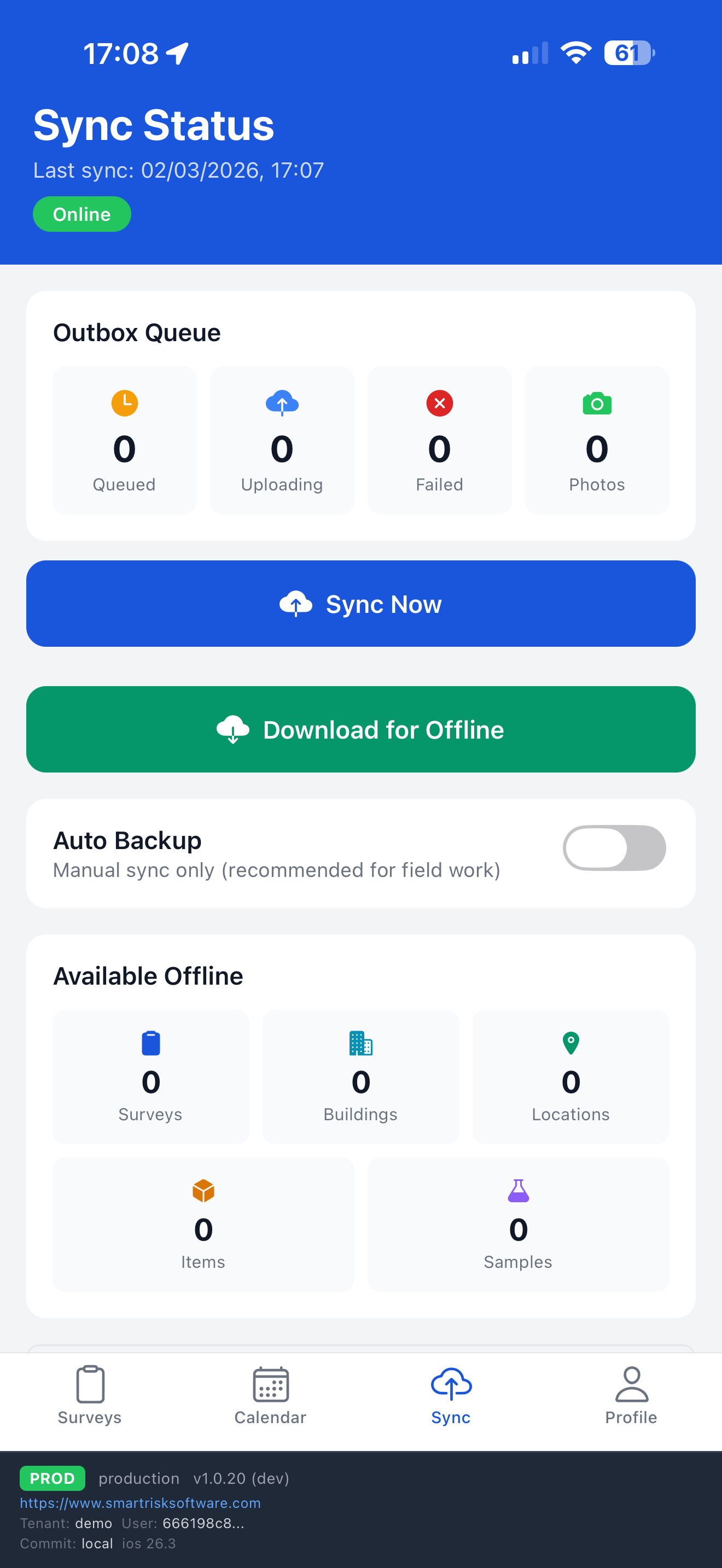
Built for the Field
No signal? No problem.
Download your surveys before heading to site. Everything works offline — add buildings, rooms, items, take photos, record samples. When you get back to signal, hit sync and your data uploads automatically. Nothing is ever lost.
On-Site Safety Standards
Every asbestos survey demands correct RPE and PPE. Our platform is built by surveyors who follow HSG264 Section 7 and the Control of Asbestos Regulations 2012 on every job.
Half-face Respirator (RPE)
Minimum P3 filter cartridge, face-fit tested annually to EN149 standard
CAR 2012 Reg. 18Type 5/6 Disposable Coveralls
Hooded suit prevents fibre contamination of clothing and skin
HSG264 Section 7.19Safety Boots / Overshoes
Protective footwear for site access — disposable overshoes for clean zones
HSG264 Section 7.21
Protective Hood
Integrated coverall hood keeps asbestos fibres away from hair and scalp
HSG264 Section 7.19Nitrile Safety Gloves
Chemical-resistant disposable gloves for bulk and surface sampling
HSG264 Section 7.203-Stage Decontamination
Dirty area → shower → clean area. Transit bags for all used PPE
CAR 2012 Reg. 16Ref: HSG264 Section 7.17–7.22 · CAR 2012 Regulation 18 · EH40 Workplace Exposure Limits · Always ensure face-fit testing is current before site work. This is a reminder only — follow your company's own H&S procedures and risk assessments.
HSE Guidance
Who Needs an Asbestos Survey?
Under the Control of Asbestos Regulations 2012, anyone responsible for maintaining or repairing non-domestic premises has a legal duty to manage asbestos. If your building was built before the year 2000, it likely contains asbestos-containing materials.
Landlords & Property Owners
CAR 2012 Regulation 4 places a duty on anyone responsible for maintenance of non-domestic buildings to identify, assess, and manage asbestos-containing materials.
Renovating Pre-2000?
Planning refurbishment or demolition on a building constructed before 2000? A Refurbishment & Demolition (R&D) survey is legally required before any intrusive work begins.
Building & Facilities Managers
You must maintain an up-to-date asbestos register and management plan. Smart Risk makes re-inspections, register updates, and compliance tracking simple.
Duty Holders & Tenants
If you control a building through tenancy or lease, the duty to manage may fall on you. Ensure you have a current management survey and asbestos register in place.
Not sure which survey you need?
Management Survey — for buildings in normal occupancy. Identifies and assesses ACMs so they can be managed safely during day-to-day use.
Refurbishment & Demolition (R&D) Survey — required before any building work. Fully intrusive survey to locate all ACMs that must be removed before works commence.
Asbestos Survey Software Across the UK
Trusted by asbestos surveying companies, consultancies, and duty holders nationwide.
FAQ
Frequently Asked Questions
Everything you need to know about Smart Risk asbestos survey software.
What is asbestos survey software?
Asbestos survey software is a digital platform that helps asbestos consultancies manage the full survey lifecycle — from job creation and on-site data collection to HSG264-compliant report generation, quoting, and invoicing. Smart Risk Software replaces paper forms, spreadsheets, and disconnected tools with one integrated system.
Does Smart Risk Software work offline?
Yes. The iOS mobile app works 100% offline. Surveyors download their assigned surveys before heading to site, then record buildings, locations, items, photos, and samples without any internet connection. All data syncs automatically when connectivity returns.
Are reports HSG264 compliant?
Yes. Every report follows the HSG264 structure including executive summary, methodology, survey findings, asbestos register (Appendix B), non-asbestos materials register, photo appendix, and floor plans. Both Management and Refurbishment & Demolition survey types use the correct terminology and legal wording.
Can I generate quotes and invoices from surveys?
Yes. Smart Risk includes a full commercial workflow. Generate itemised quotes from survey findings, send them to clients, convert accepted quotes into invoices, and track payment status — all within the same platform under the client and property record.
What survey types are supported?
Smart Risk supports Management Surveys (for normal occupancy assessment) and Refurbishment & Demolition (R&D) Surveys (fully intrusive pre-works surveys). Each type generates reports with the correct HSG264 wording, risk language, and register format automatically.
How does sample tracking work?
Surveyors add sample references on-site and link them to specific items. Samples are tracked with analysis modes (Identified, Awaiting Sample, Strongly Presumed, Presumed). Lab results are entered by admins in the web dashboard and automatically flow into the asbestos register and final report.
What is AI Assist?
AI Assist is an optional feature that helps surveyors write clearer, more professional item descriptions and action notes. It fixes grammar, improves clarity, and can summarise long notes — all in professional UK asbestos survey tone. It never changes risk scores, material classifications, or compliance status. Your company admin controls whether it's enabled, and every suggestion must be reviewed and approved before saving.
Is my data secure?
Yes. All data is stored securely with encryption. Role-based access control means surveyors only see their assigned jobs, while admins have full visibility. Every change is tracked with a complete audit trail, making Smart Risk ready for UKAS and regulatory audits.
Can multiple surveyors use the platform at the same time?
Absolutely. Smart Risk is built for teams. Admins create and assign jobs from the web dashboard, and each surveyor works independently on the mobile app. All data merges seamlessly — there are no conflicts or overwrites.